

A few weeks ago, the root account of my VMware Cloud Director deployment in my homelab expired and I had to choose a new password.
This morning I couldn’t find the generated password anymore and I had two issues to solve:
- The password of my root account needs to be recovered.
- After a couple of failed login attempts my root account was locked out.
Recover a lost root password for VMware Cloud Director 10.x
- Reboot the VMware Cloud Director appliance from the console in vSphere.
- Press e one Photon OS start up.
- Select the line beginning with “linux” and add “rw init=/bin/bash” to it, as shown in the following figure.
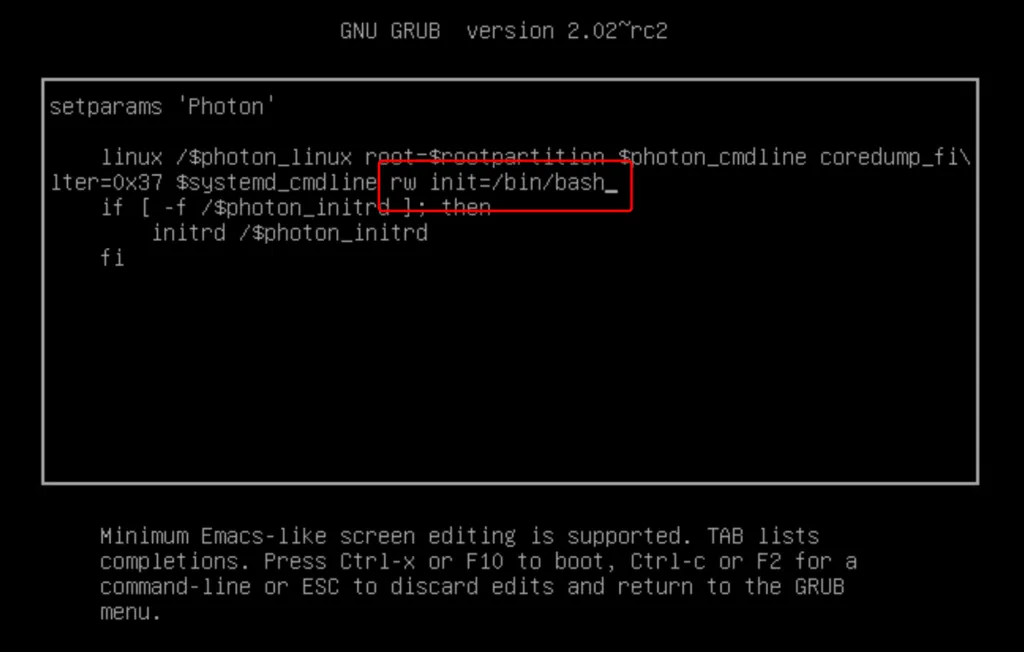
- Press F10 to start the boot process. The VMware Cloud Director cell will boot to a Bash shell.
- Unlock the root account and reboot the cell by running the following commands:
passwd rootpam_tally2 –reset –user root.
reboot -f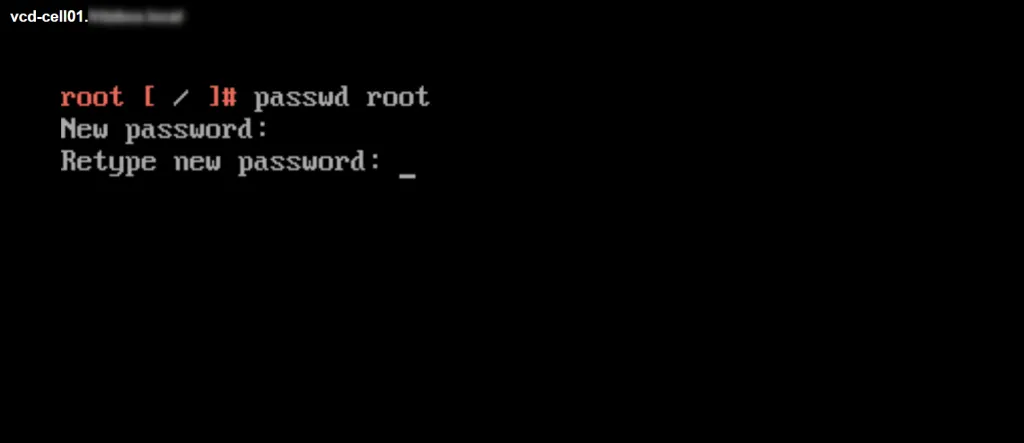
Now you can connect back to your VMware Cloud Director cell via UI or SSH!

 Sander van Gelderen